0

Extract Text Between Values (Word Doc)

Hi everyone,

I'll preface this with saying I'm new to power automate, but not to trigger/tag building, with 5 years working in google tag manager doing similar work. So I generally understand the logic, but am just feeling my way around the tools here to see what's what.


Without going into detail on the larger project this is part of - which is working rather easily by comparison, the Extract Text Between Values action isn't working for me. I've followed the video tutorial (Extract text between values with Power Automate) step by step with no luck. The only difference between that I'm working with a Word Doc, and not an incoming email.

I'm trying to extract a specific text segment, and then take that text segment to pass on a message elsewhere. In this case, testing it, that means passing it on to a Teams channel as a message.

You can see the flow so far below.
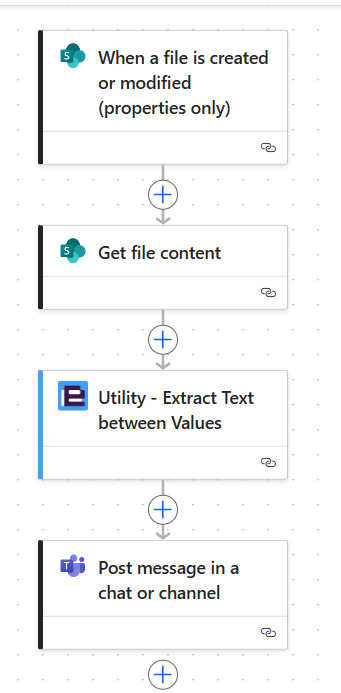
I've been able to create new copies of the original document kicking off the trigger with the content extracted in the "get file content" action, so I know everything is acting as intended up to that point.

The Extract Text between Values action is where this goes south.
Reading the error message, it says:
"The start value could not be found within the text provided"
 
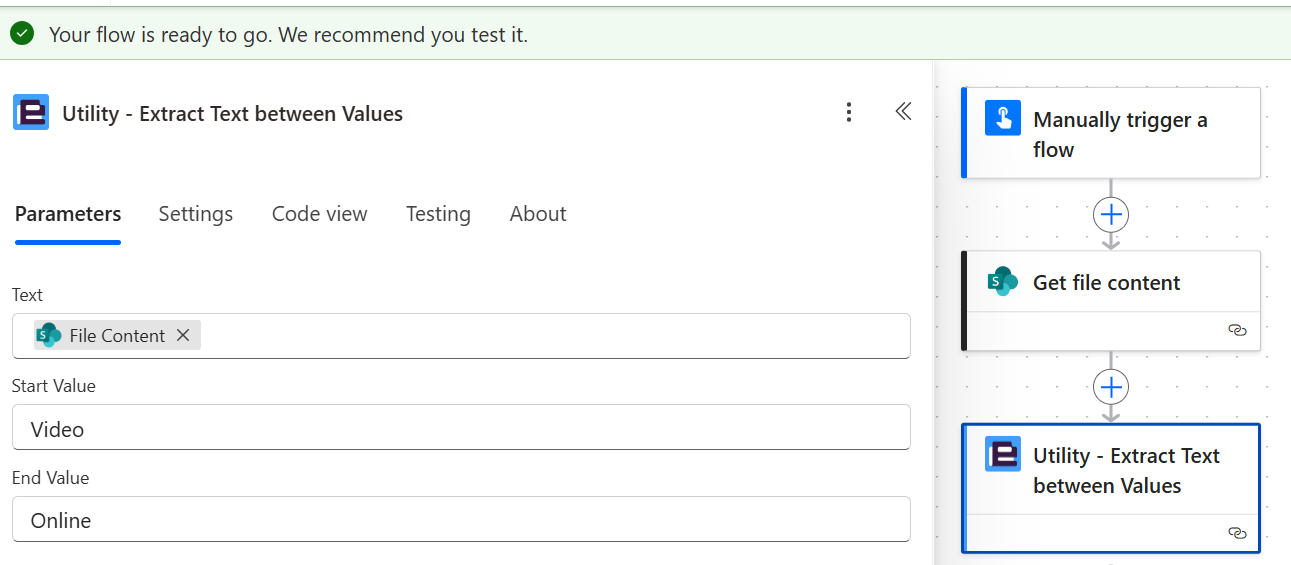
The following screenshots show the parameters of the Encodian action, and the the word document the content being looked at is from:
 
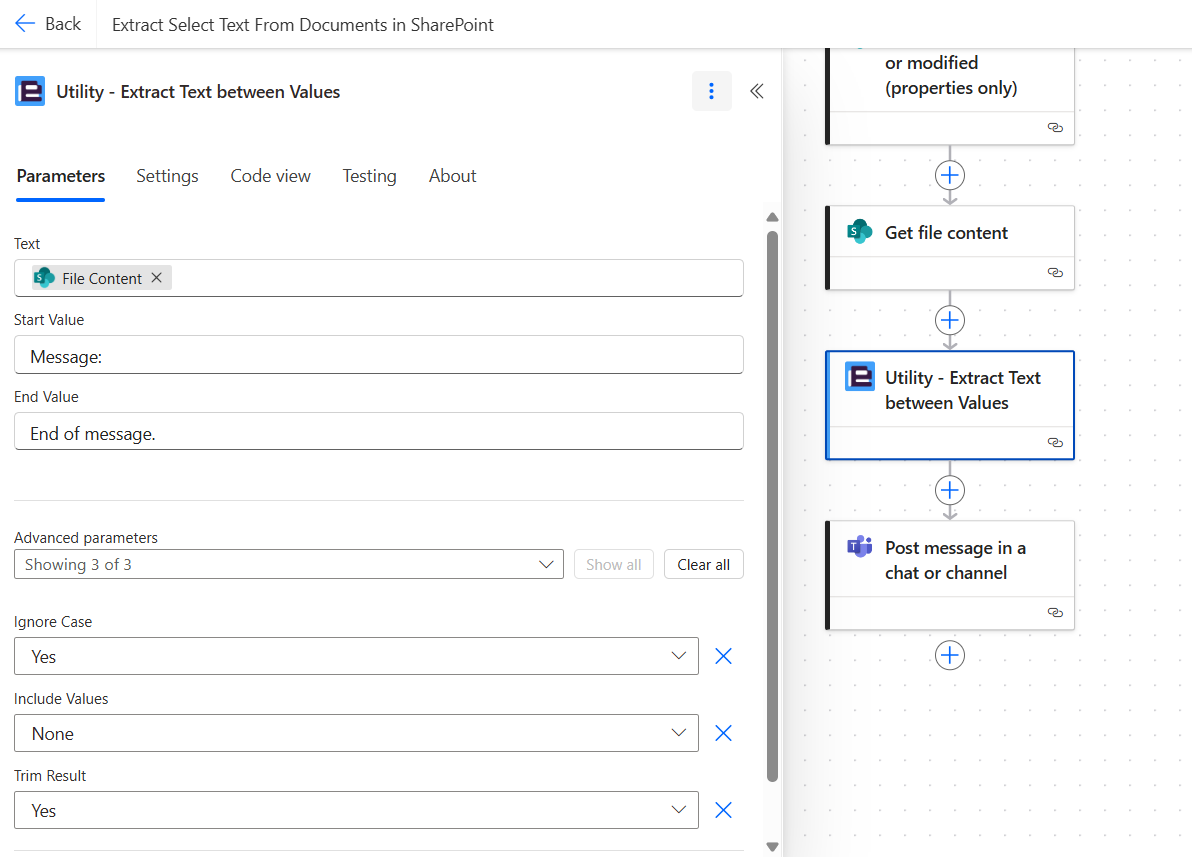
1. Extract Text between Values action parameters
 
Note: The "text" parameter is @{body('Get_file_content')}
 
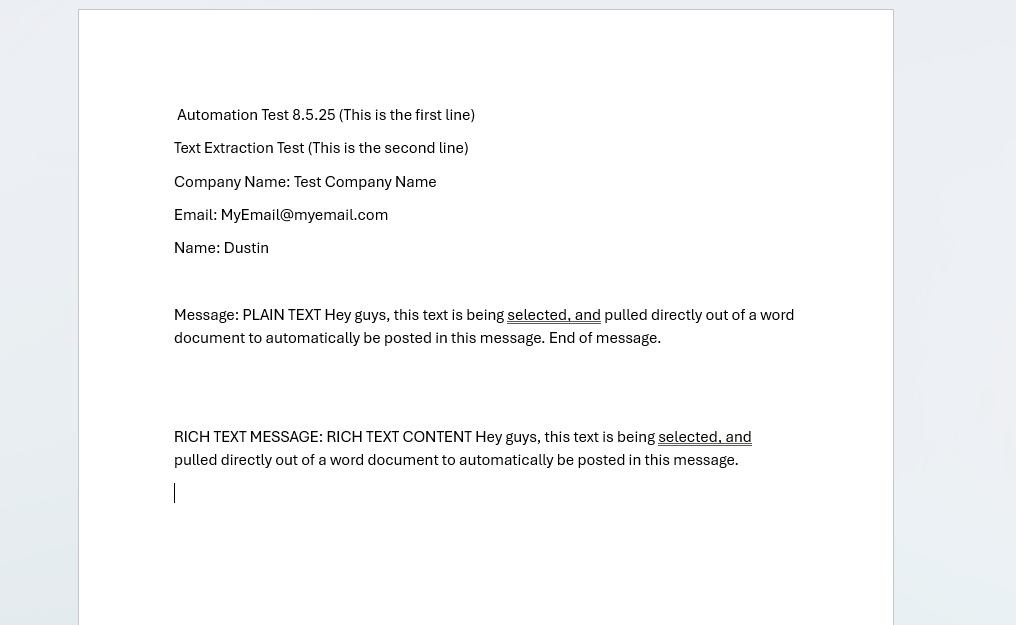
2. The Word document it's getting the body information from:


Am I doing something wrong here?
Is this action not able to word with data taken from Word documents? 
What do I need to do to pull out the intended message so I can use it elsewhere in SharePoint?


Thank you,

Dustin

7 comments

  • Avatar
    Jay Goodison Official comment

    Hello Dustin Saksek,

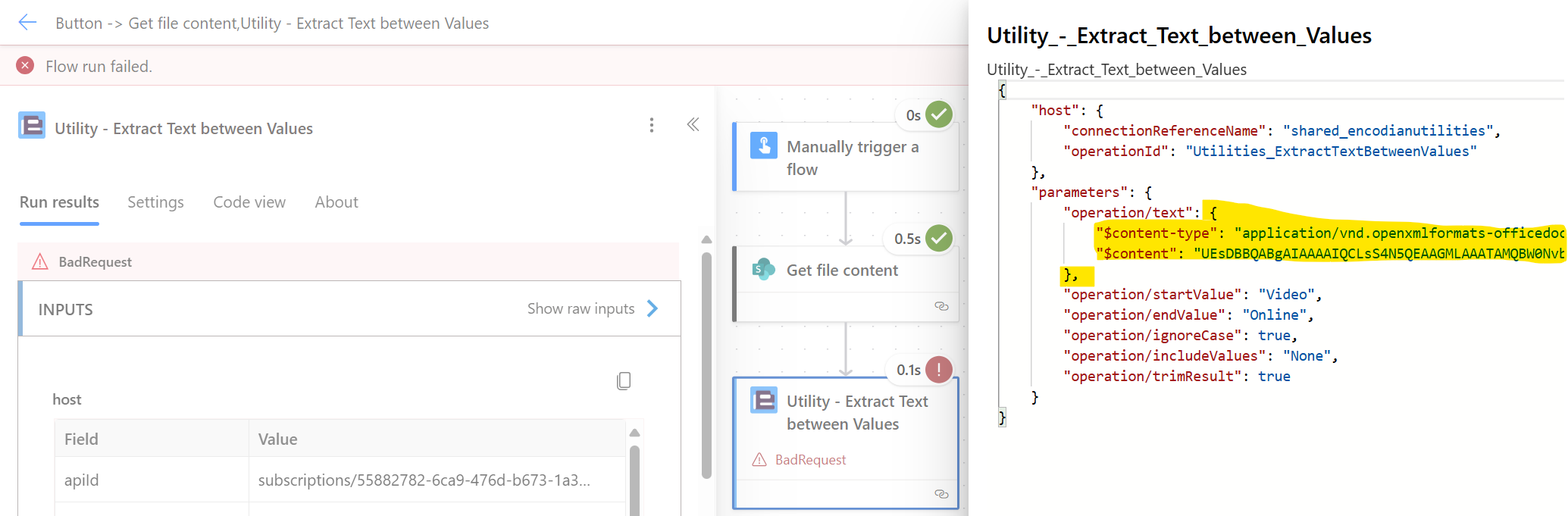
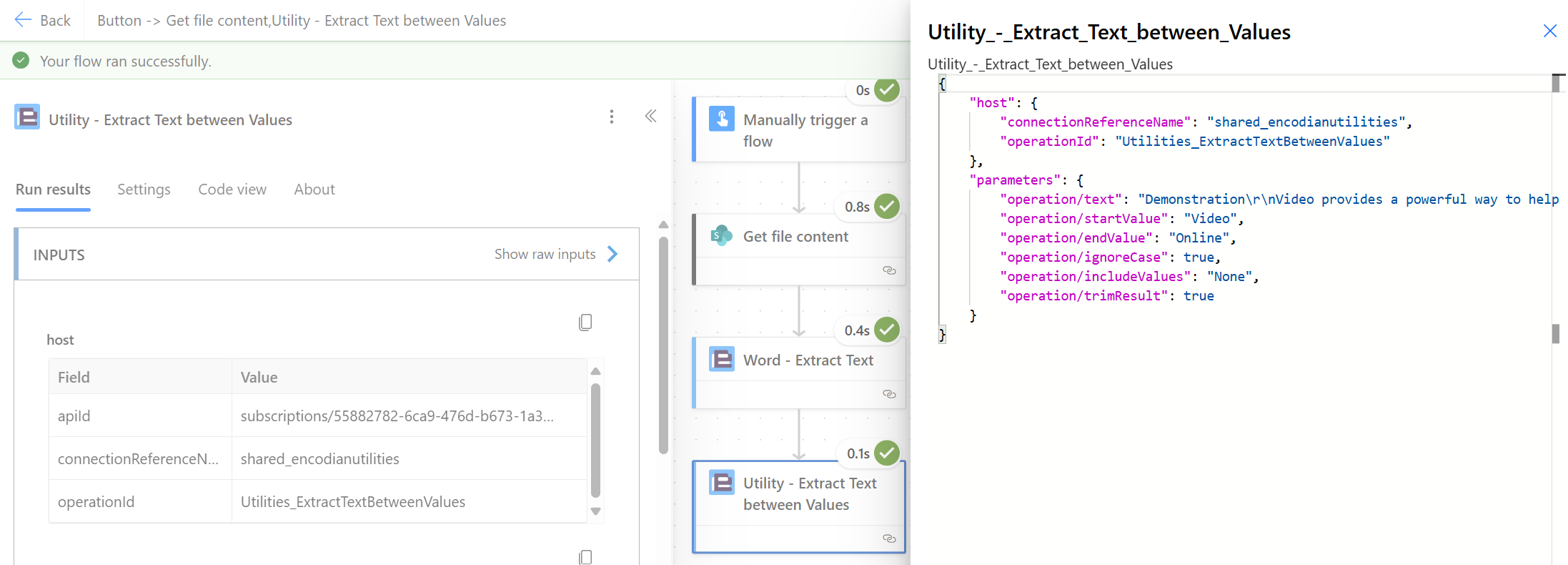
    The 'File Content' property you are passing is not the text value present in the file but the actual file, i.e. a base64 encoded representation of the binary file, this is why the Encodian action cannot find the 'Start' and 'End' values you have provided.

    You can review this by checking the 'Input' and 'Output' values within the flow run history:

    The following data is passed:

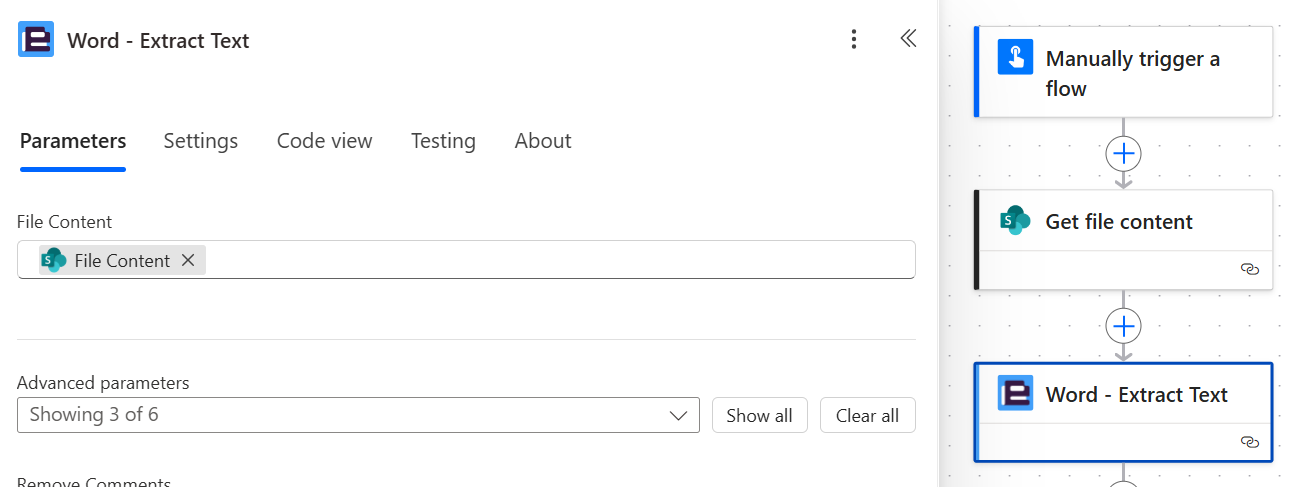
    To extract the actual text and query from a Word document please update your flow as follows

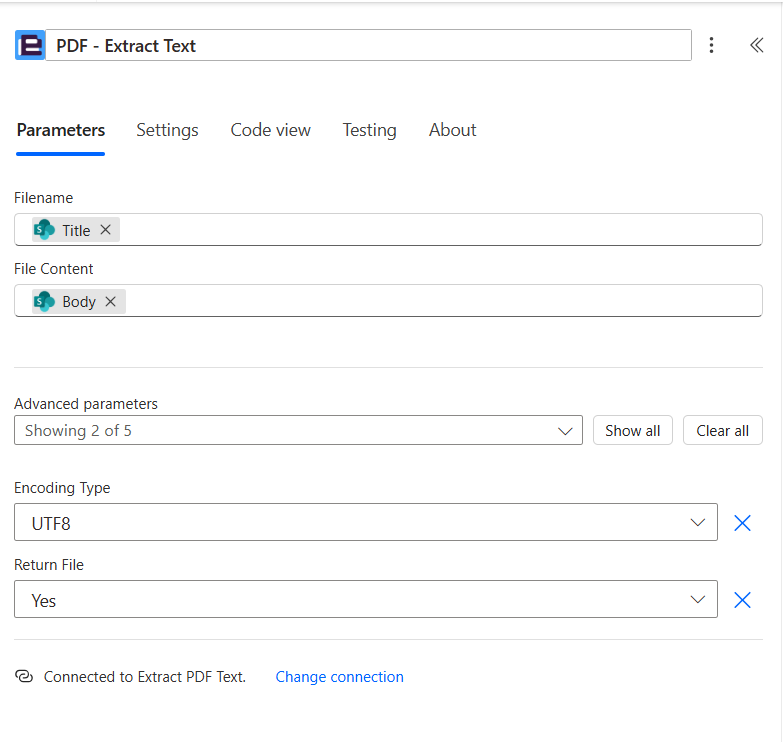
    1. Add the 'Word - Extract Text' action and configure

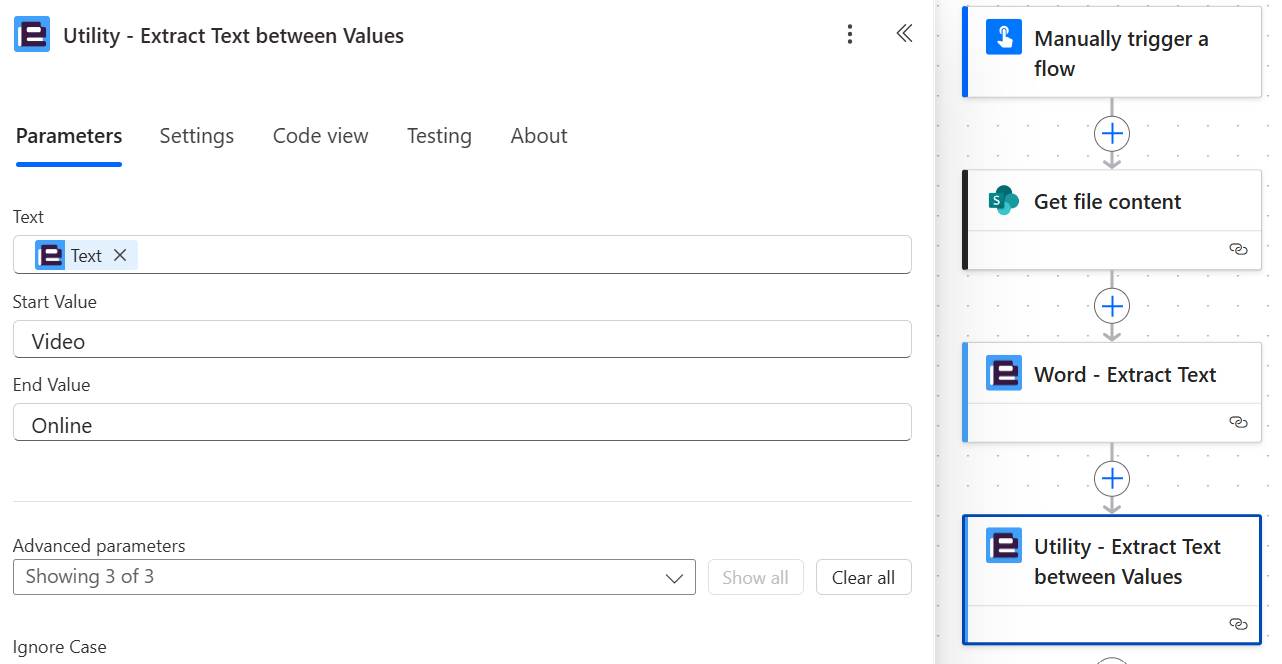
    Then configure your flow to pass the extracted text value to the 'Utility - Extract Text between Values' action:

    The actual text content of the Word document will now be passed to the 'Utility - Extract Text between Values' action: 

    Edited by Jay Goodison
  • 0
    Avatar
    Dustin Saksek

    I thought I'd try switching from doing this to a Word doc to doing it to a PDF.
    Exact same error message with everything else in flow working normally. 

  • 0
    Avatar
    Dustin Saksek

    Thanks Jay, that did the trick!

    It's only now though that I'm learning that a PDF being used for this will be better for the rest of the team.
    I'm experimenting with it now, and not quite getting there, but do you have recommendations on how to accomplish the same goal when starting with a PDF document, instead?

    Right now, I figured i'd just replace the "Word - Extract Text" action with a "PDF - Extract Text" option. But when doing that I don't have the same dynamic value options as I did before, and can't seem to get the PDF-Extract Text action to look at the right file.

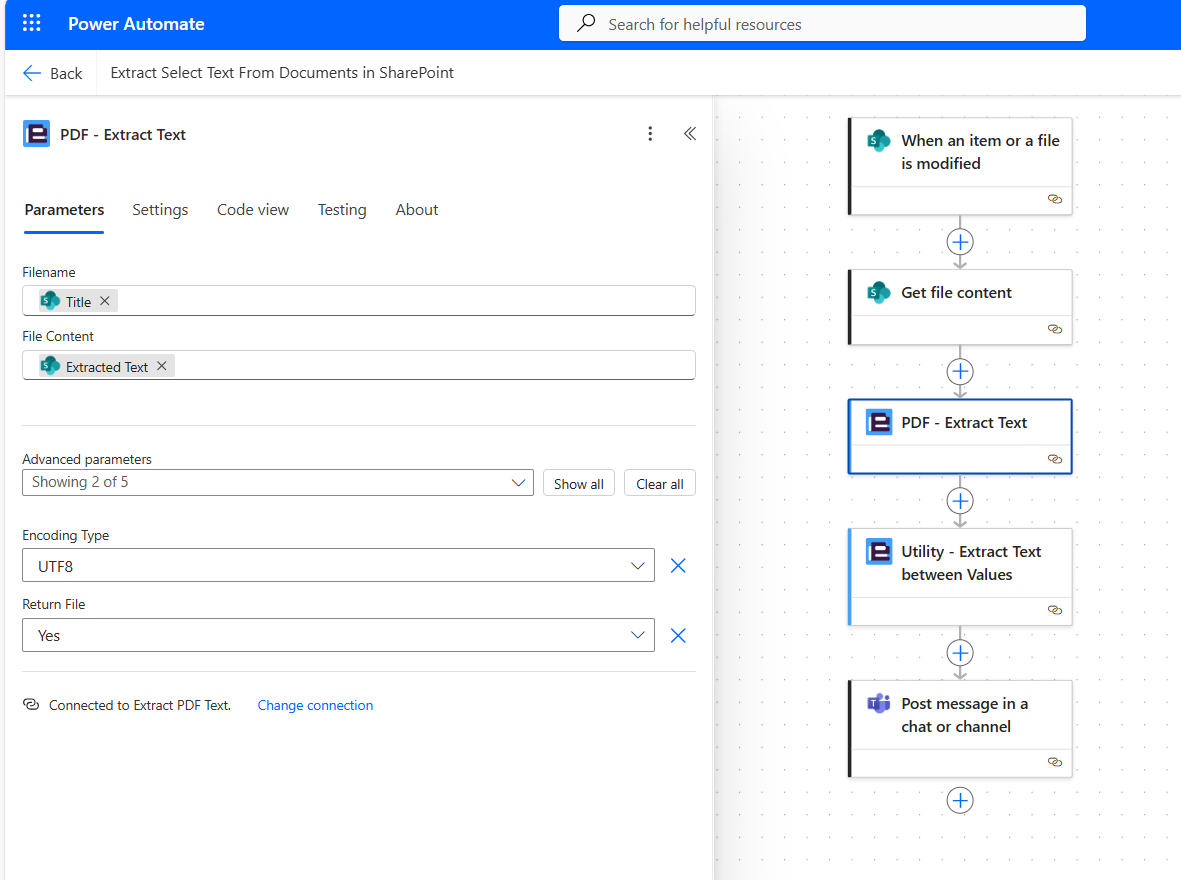
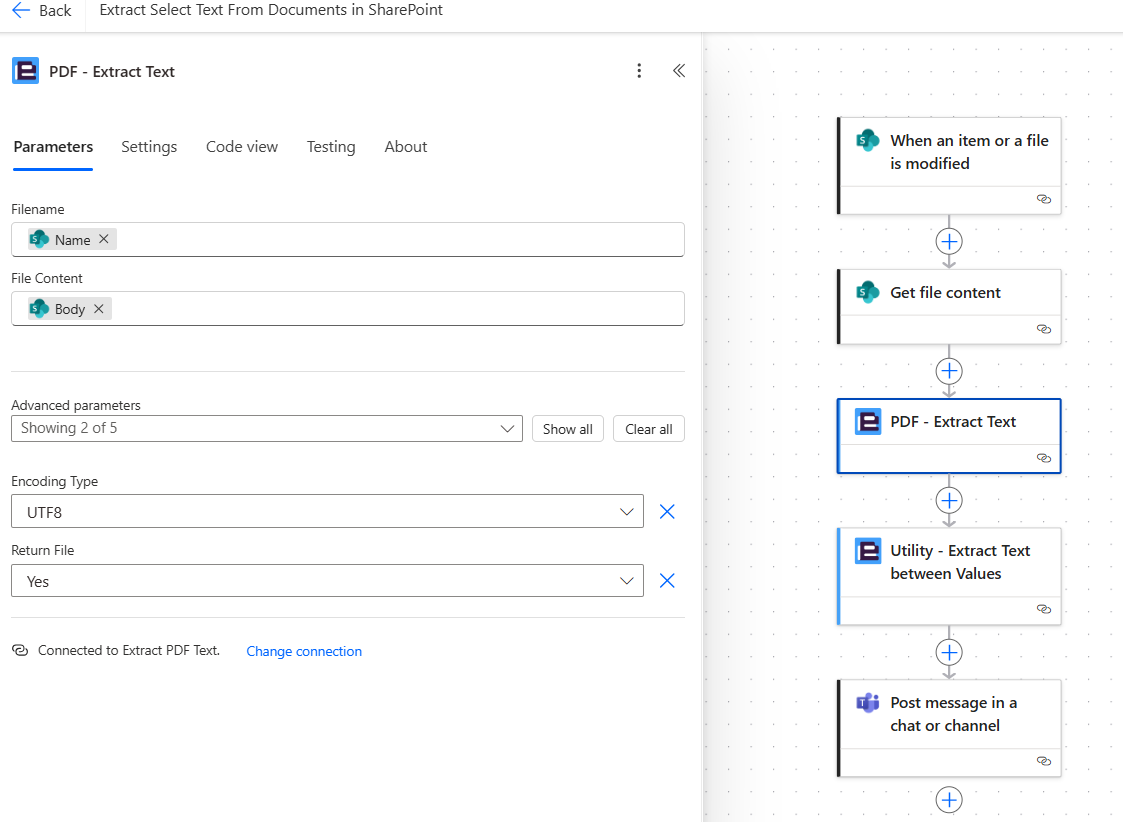
    Here's what I've got right now:


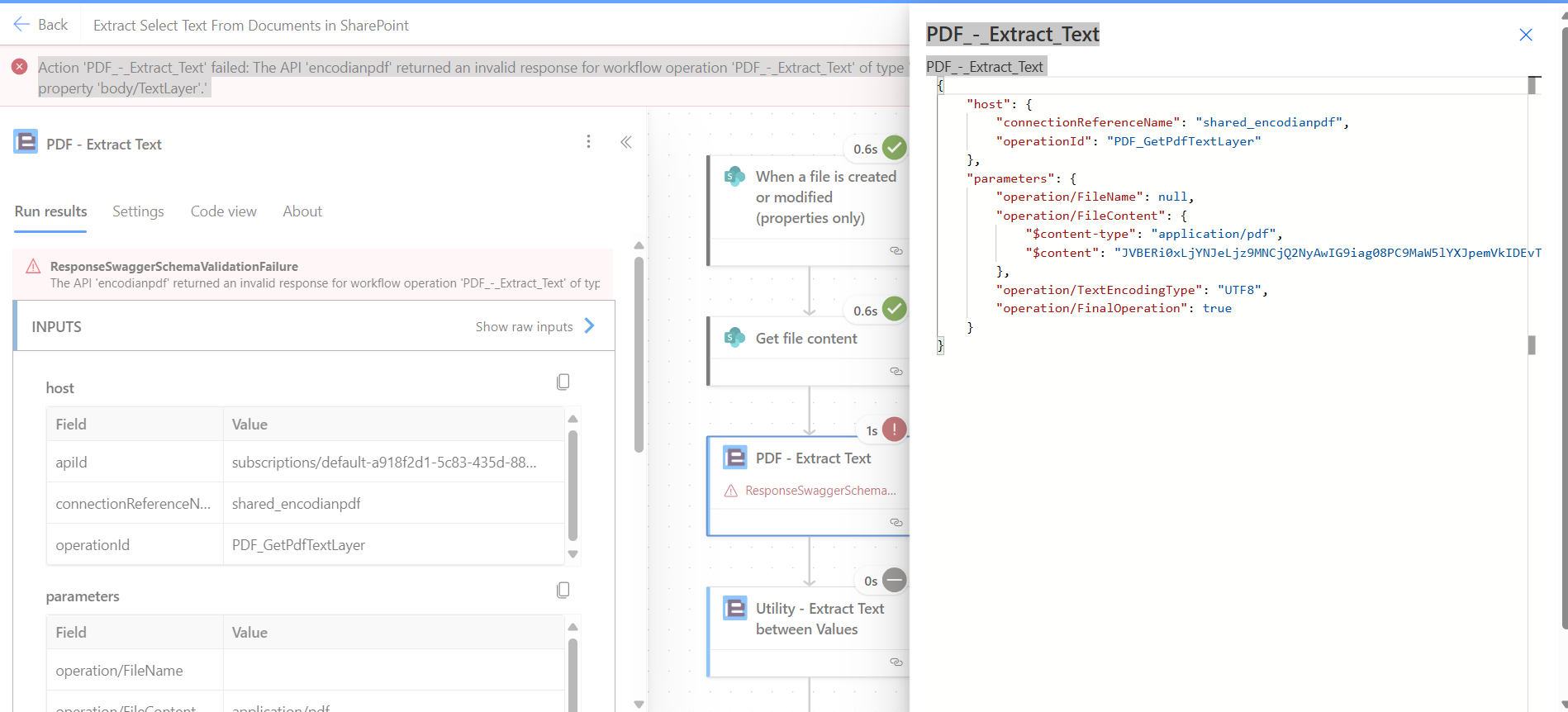
    The error message I'm getting reads:

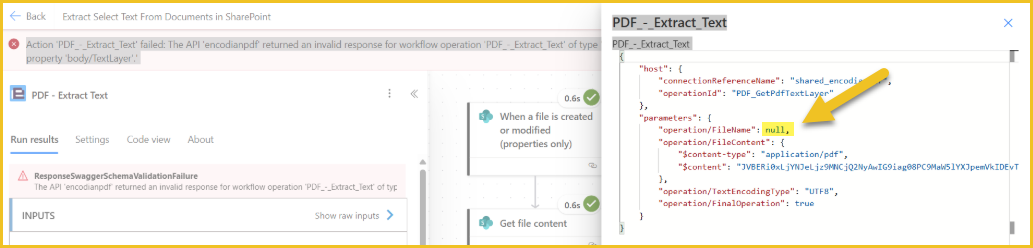
    Action 'PDF_-_Extract_Text' failed: The API 'encodianpdf' returned an invalid response for workflow operation 'PDF_-_Extract_Text' of type 'OpenApiConnection'. Error details: 'The API operation 'PDF_GetPdfTextLayer' is missing required property 'body/TextLayer'.'
     
    That part makes sense, it looks like it can't find the actual text from the document that's just been retrieved. 
     
    But the confusing part is that I don't seem to be able to provide that as a value to pass on from the "get file content" action.

    The following is what I'm trying to use to make that happen currently:
     
    So if the body('Get_file_content') option doesn't include the text layer, what does?
     
    I've tried switching the file content parameter on the PDF Extract Text action to "extracted text, here:

     
    And I'm still getting an error telling me that the text layer is missing:
    Error is listed as: ResponseSwaggerSchemaValidationFailure

    Action 'PDF_-_Extract_Text' failed: The API 'encodianpdf' returned an invalid response for workflow operation 'PDF_-_Extract_Text' of type 'OpenApiConnection'. Error details: 'The API operation 'PDF_GetPdfTextLayer' is missing required property 'body/TextLayer'.'
     
    I must be misunderstanding something here. Help me course correct?
    Thank you!


    •  
    •  
    •  
    •  
    •  
     
  • 0
    Avatar
    Jay Goodison

    Hello Dustin

    Reference: https://support.encodian.com/hc/en-gb/articles/360015539373-PDF-Extract-Text

    Can you please try adding a value for the ‘Filename’ property?

  • 0
    Avatar
    Dustin Saksek

    I'll get back around to this on Monday. Other work I need to get done right now.
    Once I've had a chance to work on this on Monday I'll get back to you.

    Thank you!

  • 0
    Avatar
    Dustin Saksek

    Able to get back to this sooner than expected.

    Yeah, I am already using the dynamic variable "Name" for that.
    That is, triggerBody()?['{Name]'] 

  • 0
    Avatar
    Jay Goodison

    Hi Dustin Saksek

    The reason I asked for you to provide a value to the 'Filename' property is because the 'Input' value in your screen shot shows a 'null' value is being passed:

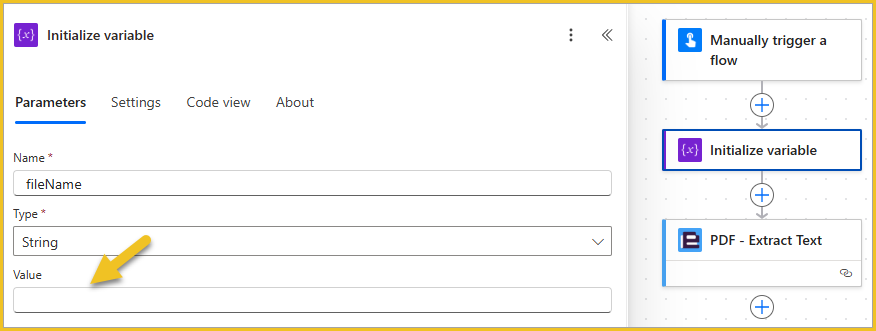
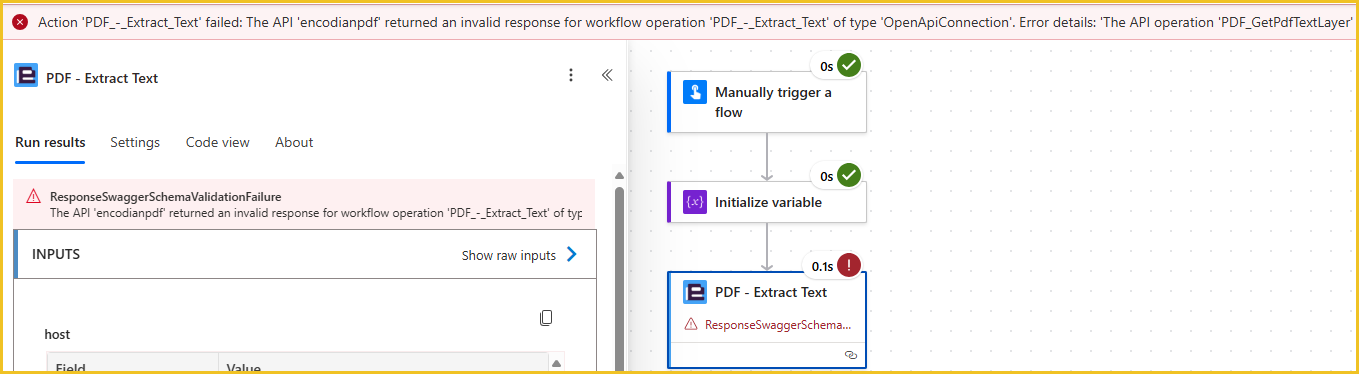
    I was able to mimic this behaviour by passing a variable with a null value:

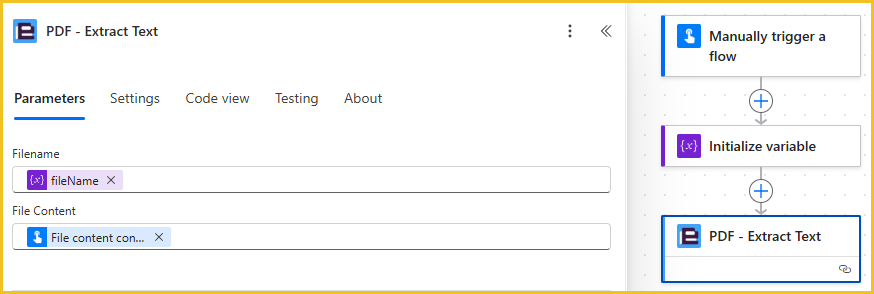
    And the same error:

    This is a misleading error and we're reviewing with Microsoft why P/A is allowing this to happen as the connector definition defines the 'Filename' property as mandatory.

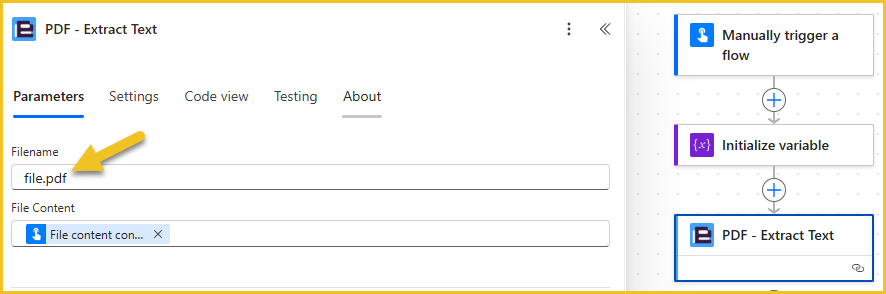
    In your flow the SharePoint trigger is failing to provide a value which would need to be raised with Microsoft, however a quick simple fix... just hardcode the filename:

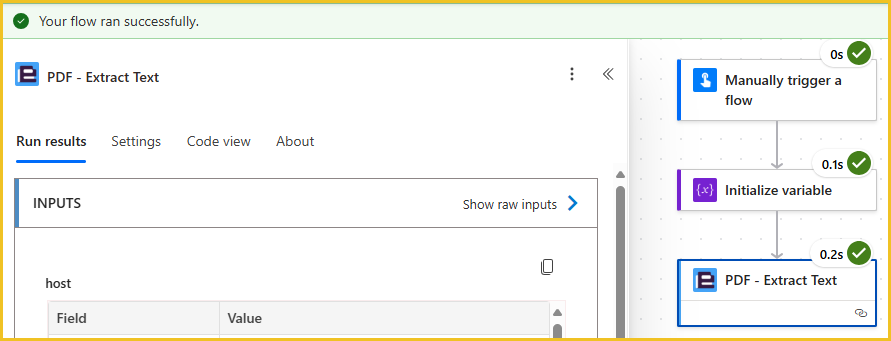
    Which will resolve the issue:

Please sign in to leave a comment.