1

How to create fractions

I am trying to use the Populate Word Document action item through Power Automate and I am having issues with displaying fractions in the Word document. If the fraction is a possible date combination, it attempts to display the fraction as a date instead. I also have dates in the document, so I can't disable date and time formats, otherwise it will cause other issues. Is there a syntax option for displaying fractions? Some of my fraction examples I will need displayed are 1/4, 5/32, 3/16, and 1/8. 

Thanks for the help,

Chris

1 comment

  • Avatar
    Roy Simmons Official comment

    Hello Chris,

    The Word - Populate action has a "Date Time Formats" parameter which can be used to determine what date time formats will be treated as dates. 

    Any value not adhering to the format provided will not be treated as a date. This will allow you to keep the date formatting enabled but for the fractions not to be impacted.

    Here is an example:

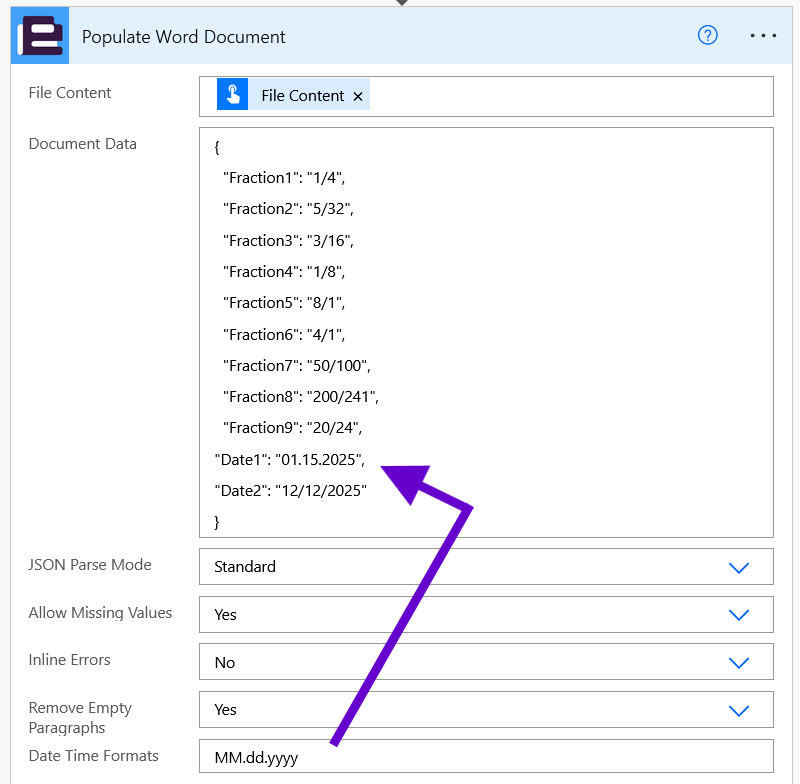
    By setting the "Date Time Formats" parameter to "MM.dd.yyyy", the action will only format date values within the JSON that follow that specific format.

    In this example, "Date1" will be treated and formatted as a date, but the fractions and "Date2" will be ignored / represented as provided. 

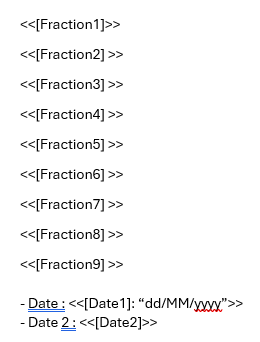
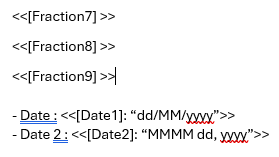
    So then the Template can be written as follows.

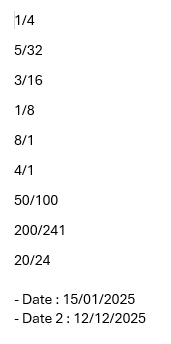
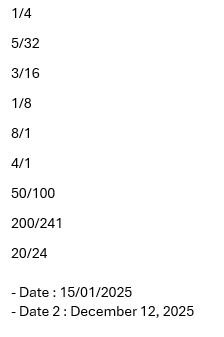
    Output

    As you can see the Fractions maintain their values without being converted.

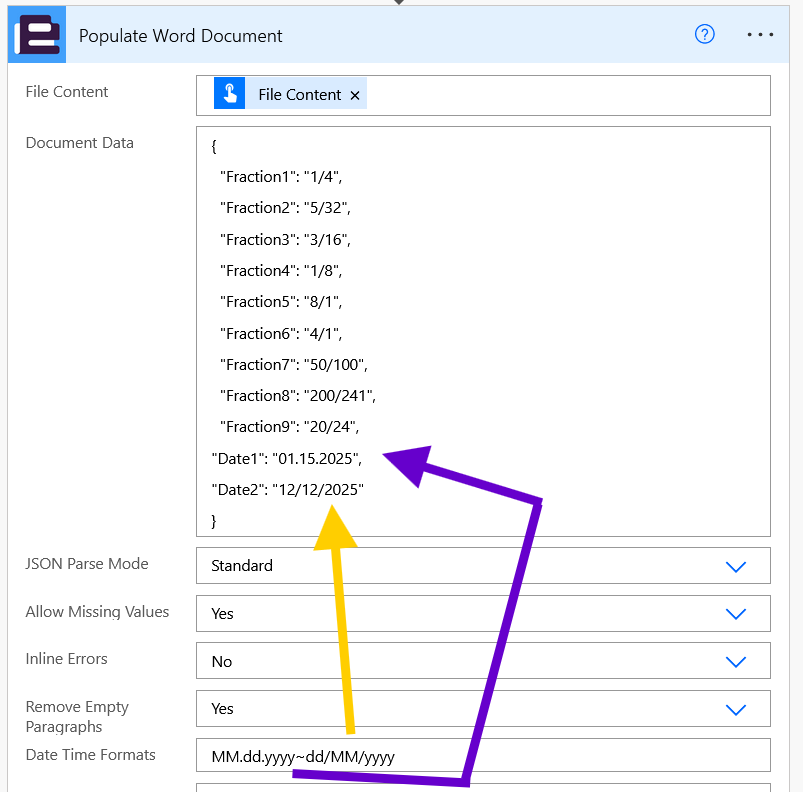
    If you wish to format multiple date formats, you can provide multiple formatting options separated by a "~" character:


    Template

    Output


    In this example, both Date1 and Date2 were correctly formatted but the fractions were applied as in the JSON.

    Let us know if there are any other questions.

    Edited by Roy Simmons
Please sign in to leave a comment.