0

Populate Word - increment headings

Tom asked:

I see it is possible to insert a numbered list into Word. But can I also insert a numbered list that starts at a specific number? I have a case where I need to insert a Heading 2 that immediately starts at chaper 5.2 for example. The headings also need to be visible in an automatic table of contents, so I don't want to just insert it as text.
1 comment

  • Avatar
    Jo Hall Official comment

    The solution to this requires the template to include some existing word functionality as well as some template syntax

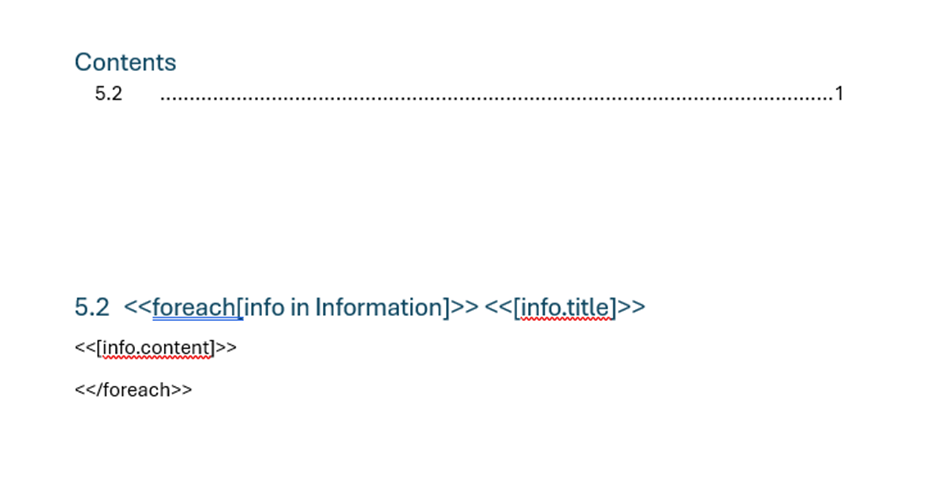
    In the template shown below I have created a ‘heading’ in word and told it to begin it’s numbering system at 5.2 (right click the heading and select set numbering value – you need to do this at each level)

    Insert a table of contents – It's important to make sure the starting table of contents is not refreshed after the tags are added or it will try and resolve them when the action runs. If they exist in the table of contents delete them.

    In a similar way to Numbered and Bulleted Lists – Encodian Customer Help a foreach is then added to the template to create multiple headings and add the content to those headings. Pressing enter between the <<[info.title]>> tag and the <<[info.content]>> tag means only the title is treated as the heading.

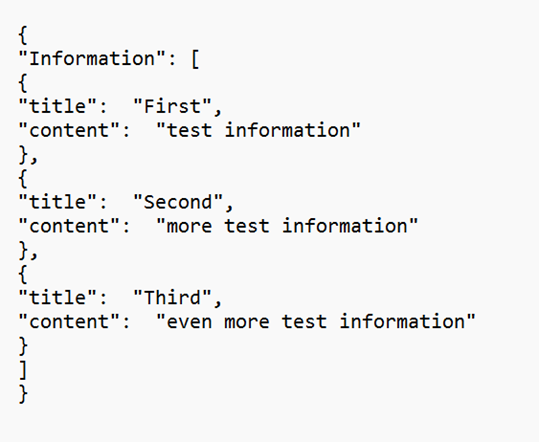
    Using this template with the following example JSON

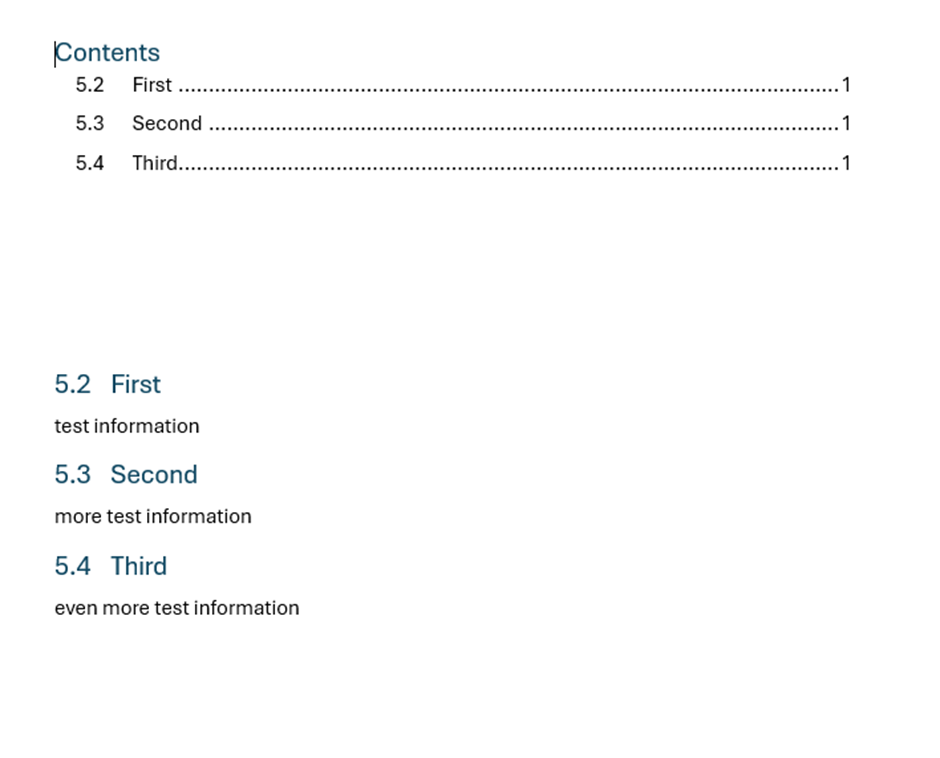
    Produces the following result. As you can see the headings increment as expected and the table of contents is automatically refreshed to reflect the changes in the document.

Please sign in to leave a comment.